Features/Result Stand
Try it free →
09
At the finish · Live → Result Stand

Let athletes see their own result - beautifully.

Put a laptop and a screen at the finish area. A participant walks up, and their result appears as broadcast-quality TV graphics - name, time, place, splits - on a screen you designed yourself. No app to install, no queue at the results tent.

Lives in
Live → Result Stand
Triggers
Chip read · camera (OCR) · manual
Screens
Idle + result, fully designable
Setup
One stand, one projection link
The idea

A finish-line moment, on a screen you control.

The Result Stand is a small kiosk runtime: an idle "attract" screen that invites people in, and a result screen that renders the athlete's data into a layout you built. Both are designed in the same drag-and-drop editor - upload a background, drop placeholders, done.

racetime.net / result-stand / finish-line
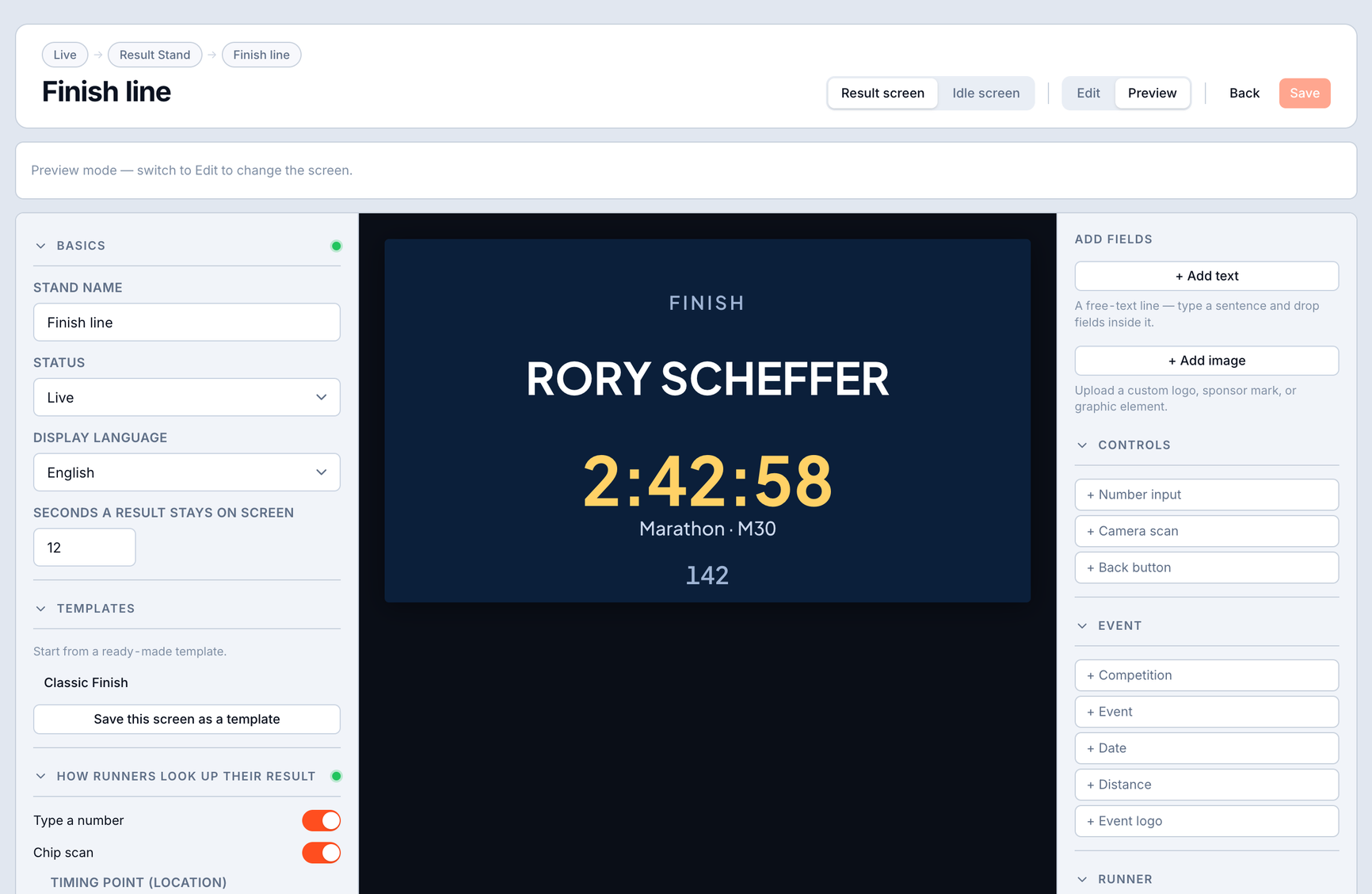
Result Stand result screen - bib 1042, finish time 2:42:58, with swim, bike and run stage times
3 triggers
A chip read at a chosen point, a bib-recognition camera (beta), or a manual keypad - mix and match per stand.
2 screens
An idle attract screen and a result screen, each fully designable and saveable as a template.
Any format
Road, triathlon, laps - the result screen reads splits and stage times, not just a single finish.
Token link
Open one URL full-screen on the venue laptop. Regenerate the link any time.
Three ways to trigger

However the athlete arrives, the right result appears.

Direct interaction - a camera detect or a manual entry - takes priority over the background read feed, so someone standing at the kiosk is never interrupted by the next runner crossing the line.

Timing read

Pick a reading location; a new chip read there shows that runner for N seconds, then the screen returns to idle. A freshly opened stand never replays the whole race - it only shows reads that arrive after it opens.

Camera (bib recognition)

A guide box on screen reads the number plate the athlete presents - cooperative, close-range OCR with a digit-only filter, multi-frame voting and a confidence threshold. A "Got 1234 - that you?" confirm step guards against showing the wrong athlete.

Manual entry

A numeric keypad for the simplest path - and the always-available fallback. If the camera can't get a clean read, the keypad surfaces automatically so nobody walks away empty-handed.

The screen designer

Upload a background. Drop placeholders. Ship it.

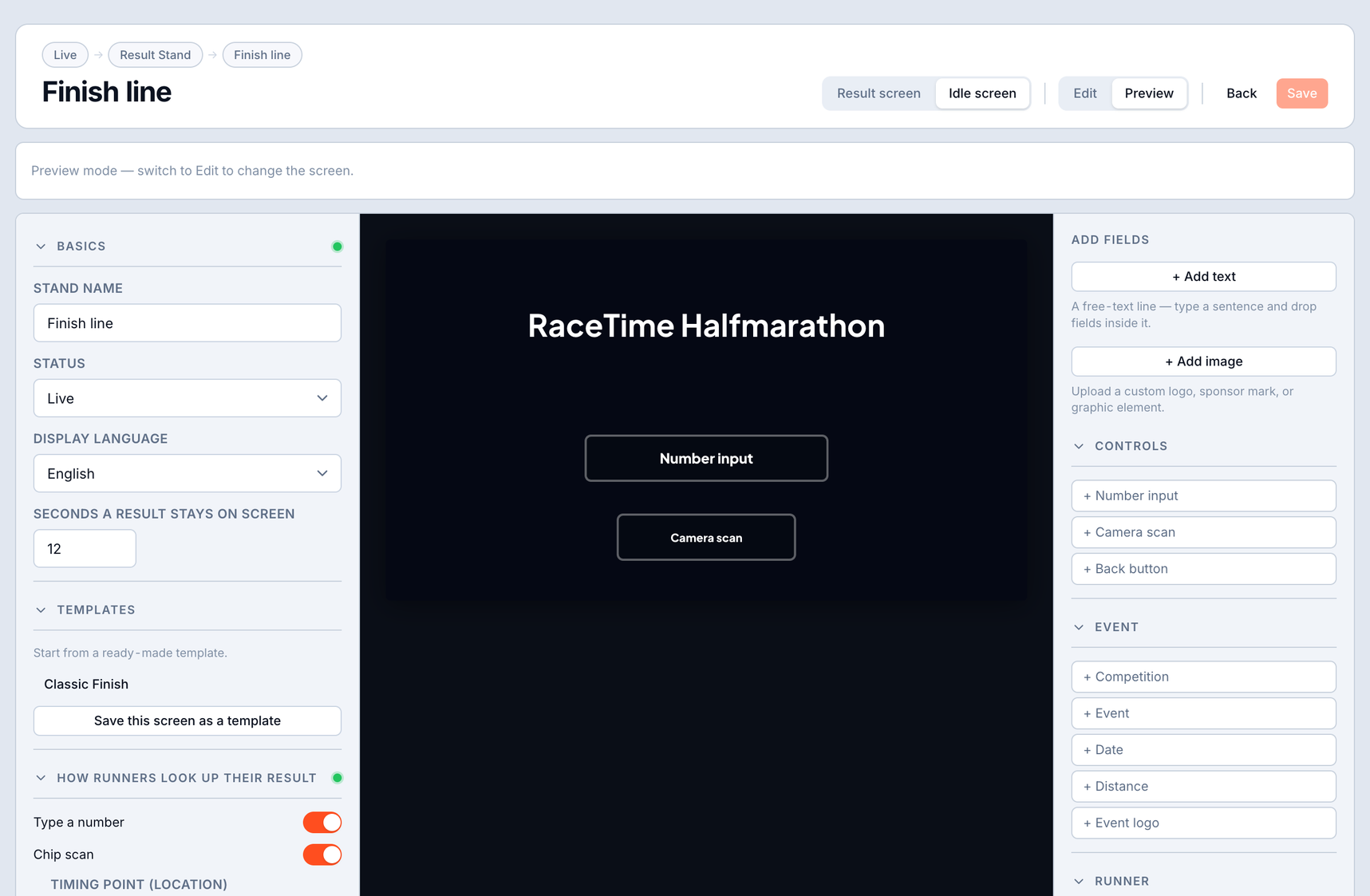
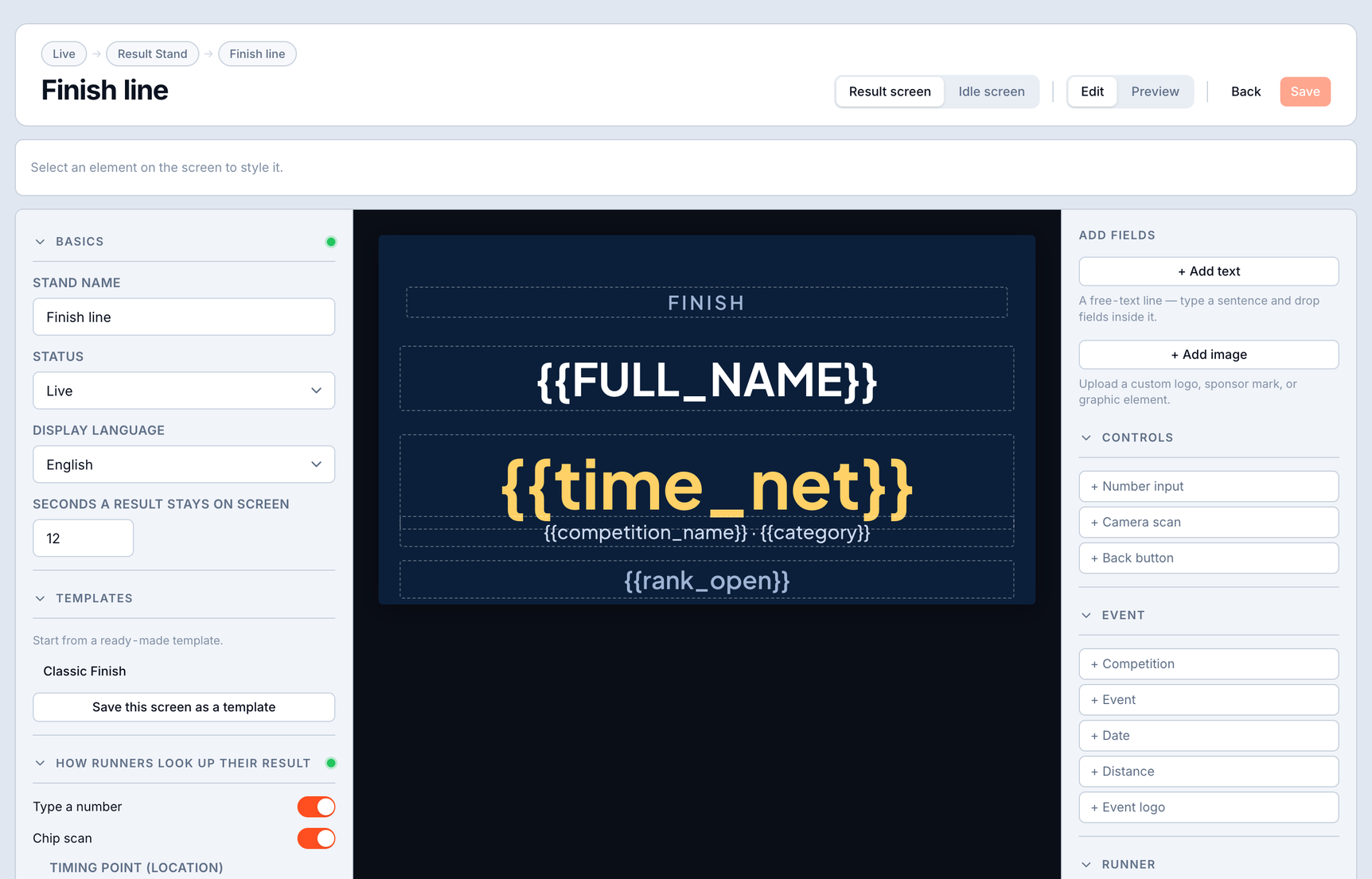
The dedicated editor is the part timers love: a live canvas on the left, a palette of fields on the right. Drag in the bib, finish time, ranks, category, splits or stage times, set the typography, and save it as a reusable template - or start from the built-in "Classic Finish" design.

Result Stand editor - placeholders for bib and net time, plus stage time fields, on a designed background
Editing with placeholders. The canvas shows live placeholders - {{bib}}, {{time_net}}, per-stage split fields - over your uploaded background. The right rail adds fields (event, runner, splits), controls hold-duration and the display language, and chooses which races the stand serves.
Result Stand idle screen - 'Scan your chip to see your result'
The idle screen. Same editor, no athlete placeholders required - a friendly attract layout ("Scan your chip to see your result") that the stand falls back to between athletes. Design it once and it greets every finisher.
Result Stand bound result - bib 1042, 2:42:58, with swim/bike/run stage times and a congratulations line
The live result. The same layout, bound to a real athlete: bib, finish time, and per-discipline stage times for a triathlon. Anonymised athletes render result-only, with no name, exactly like the public results.
Setup in five steps

From nothing to a live finish-line stand.

The flow is deliberately short - most of it is design, not configuration.

1 · New stand
Name it and choose which competitions it serves (default: the whole event).
2 · Result screen
Design it in the canvas, or start from "Classic Finish".
3 · Idle screen
Pick or design the attract screen shown between athletes.
4 · Inputs
Enable any of read / camera / manual; for read mode pick the location and set the hold duration.
5 · Open the stand
Copy the projection link onto the venue laptop, full-screen. Regenerate the token any time.
Right athlete, every time

Designed around the worst failure mode - showing the wrong result.

A finish-line screen has to be trustworthy. The stand handles the messy real-world cases gracefully instead of guessing.

"Which race?" when a bib repeats

Bibs can repeat across competitions. When a number is genuinely ambiguous, the stand asks which race before showing anything - otherwise it goes straight through.

"No result yet" handled

Registered but not finished? The stand shows a friendly "on course / last seen at…" message. DNS, DNF, DSQ and lap statuses each get their own clear state instead of a blank screen.

Private by default

In-browser recognition keeps camera frames on the laptop - nothing is uploaded or stored. The lookup honours each athlete's privacy flags, and the stand is a token-gated link, rate-limited against bib fishing.

Also in RaceTime today

More at the finish.

Want a Result Stand at your next finish line?

It's included in your free trial - full access, with a direct line to the team building it.

Try it free →
Keep reading