Features/Scoring & data
Try it free →
02
Operate · The scoring engine

From raw reads to a final result - in full view.

Every step of the scoring pipeline has a dedicated screen. The data is always there, always explainable - no black boxes, no spreadsheet rescue workflow required. From the first chip read at the start mat to the validated finish time, you can see exactly how each result was built.

Lives in
Every event, race day
Hardware
RaceResult · ChronoTrack · MyLaps
Editable
Mid-race, no restart
Audit
Per-split, per-read
Race-day dashboard

One screen, every signal, built for race day.

When the gun goes off, you don't want to go hunting through menus. The dashboard puts every live signal on one page: a race clock per competition, the raw read stream as it arrives, the registered → started → finished funnel, top-10 leaderboards, calculation status and the health of every connected device. If something needs your attention, you see it here first.

Live widgets
Race clocks, the read stream, the start-to-finish funnel and leaderboards update as the data flows in - no manual refresh.
All hardware
Every connected device reports its status in one place, so a quiet reader or a dropped feed never goes unnoticed.
One cockpit
Competitions, calculation status and top-10 results sit side by side. The whole event, on one screen.
Course & timing points

Build the course on a timeline, then wire it to your hardware.

The course is the backbone of every result. You lay out timing points on a visual timeline, then tell each one how to behave - which readers feed it, in what priority, which points it depends on, and the rules that turn raw reads into clean splits. Multi-stage events like triathlon and duathlon are first-class, not a workaround.
racetime.net / event / course
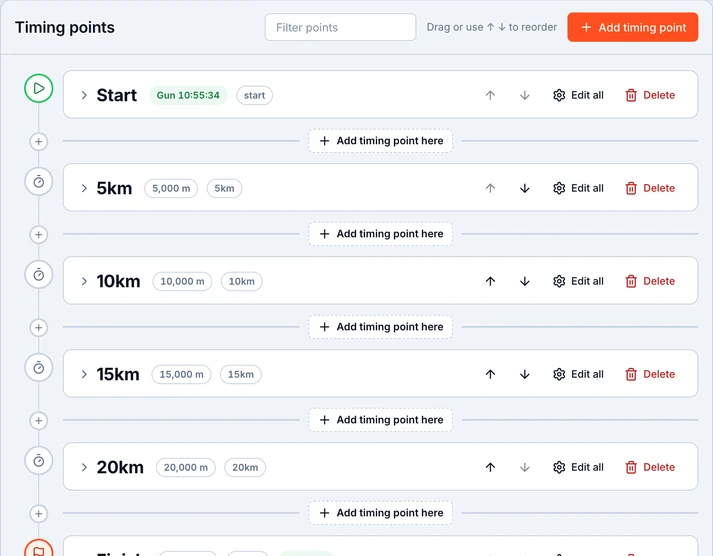
Course setup step one - building timing points on a visual timeline

1 · Lay out the timeline

Drop start, splits, laps and finish onto a visual timeline. Drag to reorder, set distances, and see the whole course at a glance before a single read arrives.
racetime.net / event / course / point
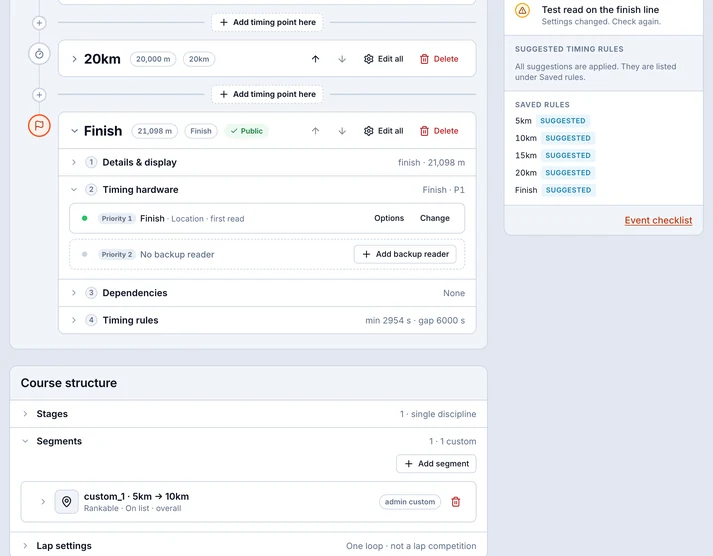
Course setup step two - wiring a timing point with hardware, reader priorities, dependencies and timing rules

2 · Wire each point

Assign the hardware that feeds a point, set reader priorities for when several see the same chip, add dependencies, and choose the timing rules that decide which read counts.
racetime.net / event / course / stages
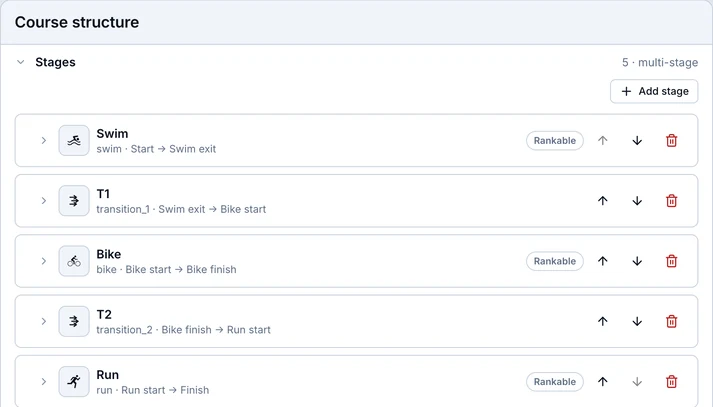
Course setup step three - multi-stage support for triathlon and duathlon

3 · Add stages

Triathlon, duathlon, swim-run - chain stages together with their own distances and transitions, and the engine scores each leg and the overall in one pass.

Per-checkpoint detail

Every checkpoint has its own public face.

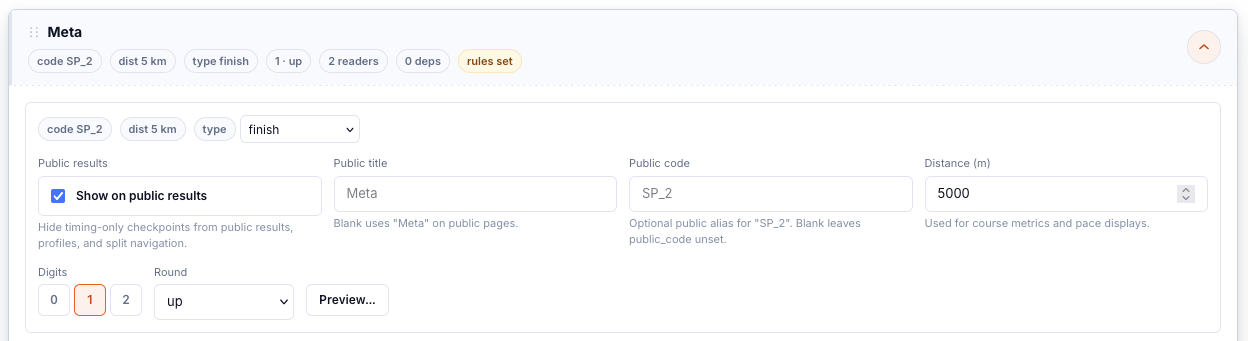
Open any timing point and set how it appears to the world - a public title and short code, its distance, and how times are rounded. The internal plumbing stays internal; participants only ever see the clean, named checkpoint.
racetime.net / event / course / meta
Timing-point detail editor for a Finish checkpoint - public title and code, distance and rounding settings
Competition setup

One event, many races - each configured exactly the way it runs.

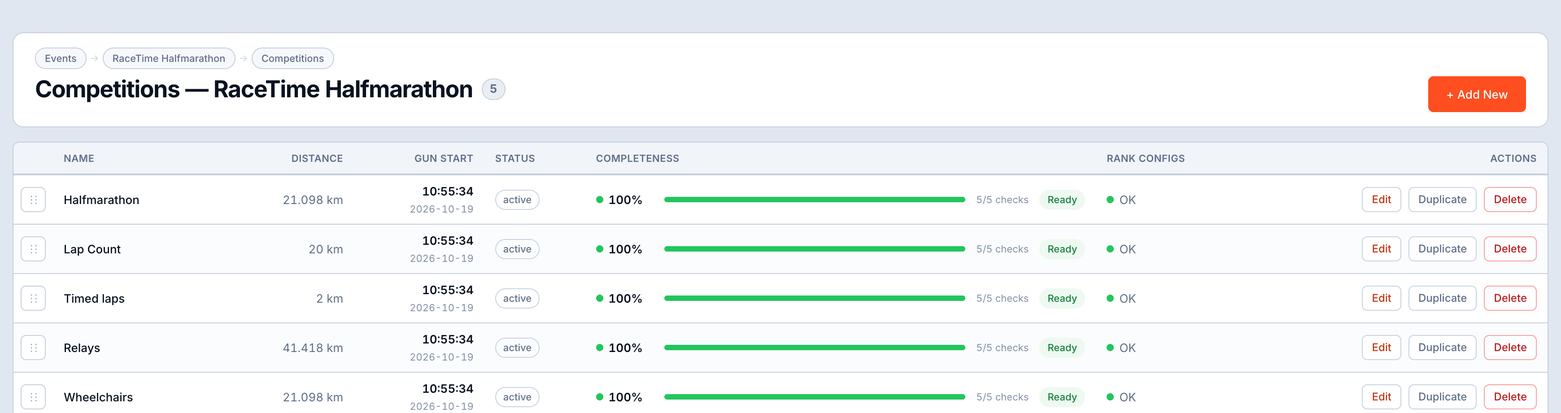
A single event might hold a marathon, a half, a 10K and a kids' run, each with its own rules. Every competition gets its own set of tabs - identity and timing, how it ranks, its categories, and the features it exposes to the public - so the engine scores it the way the race is actually run.

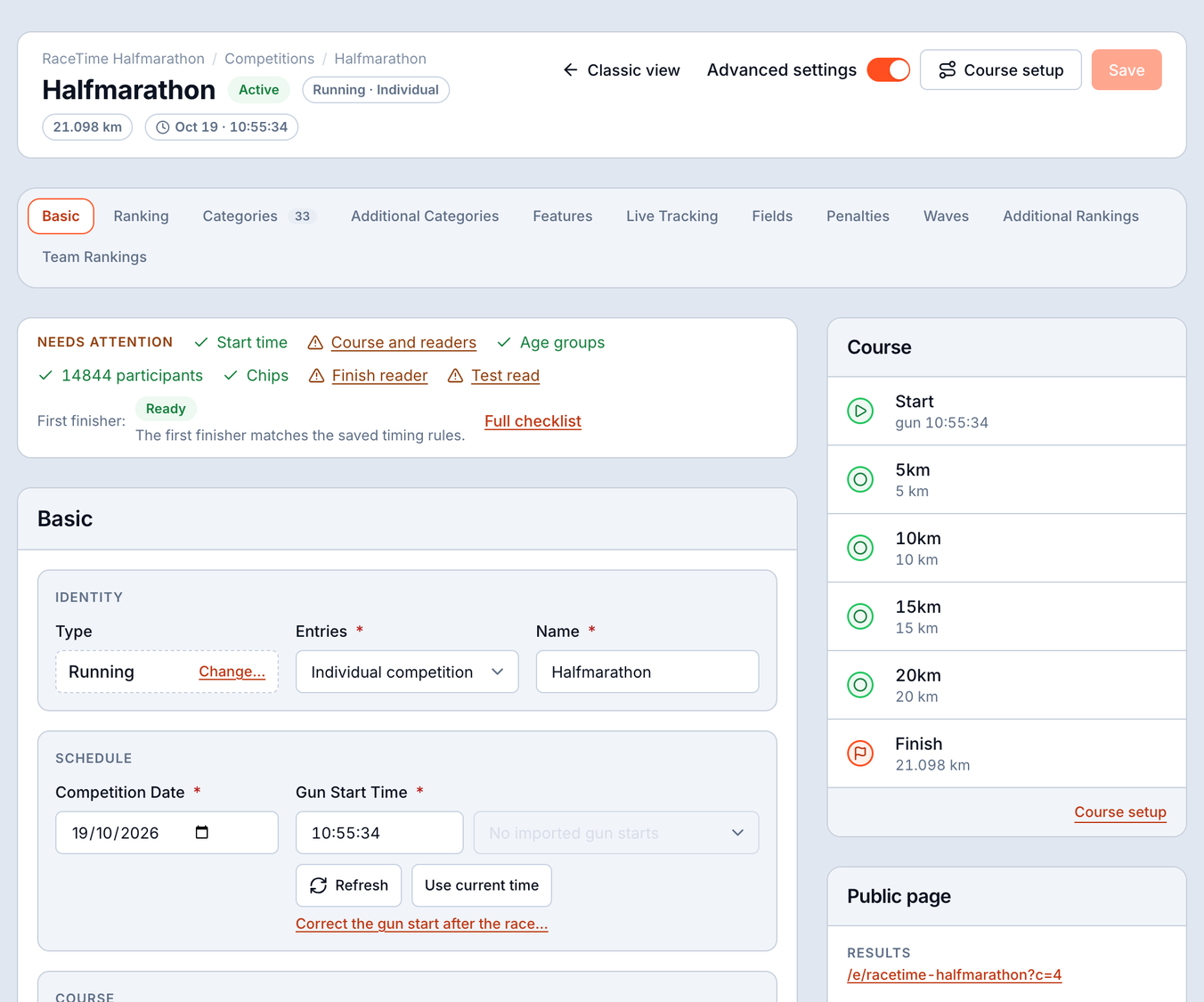
Competition setup - Basic tab with race identity, timing controls and registration policy
Basic. Race identity, timing controls and the registration policy - name the race, choose how the clock runs, and choose individual or relay entry, the start type and the cutoff. This is the foundation every other tab builds on.
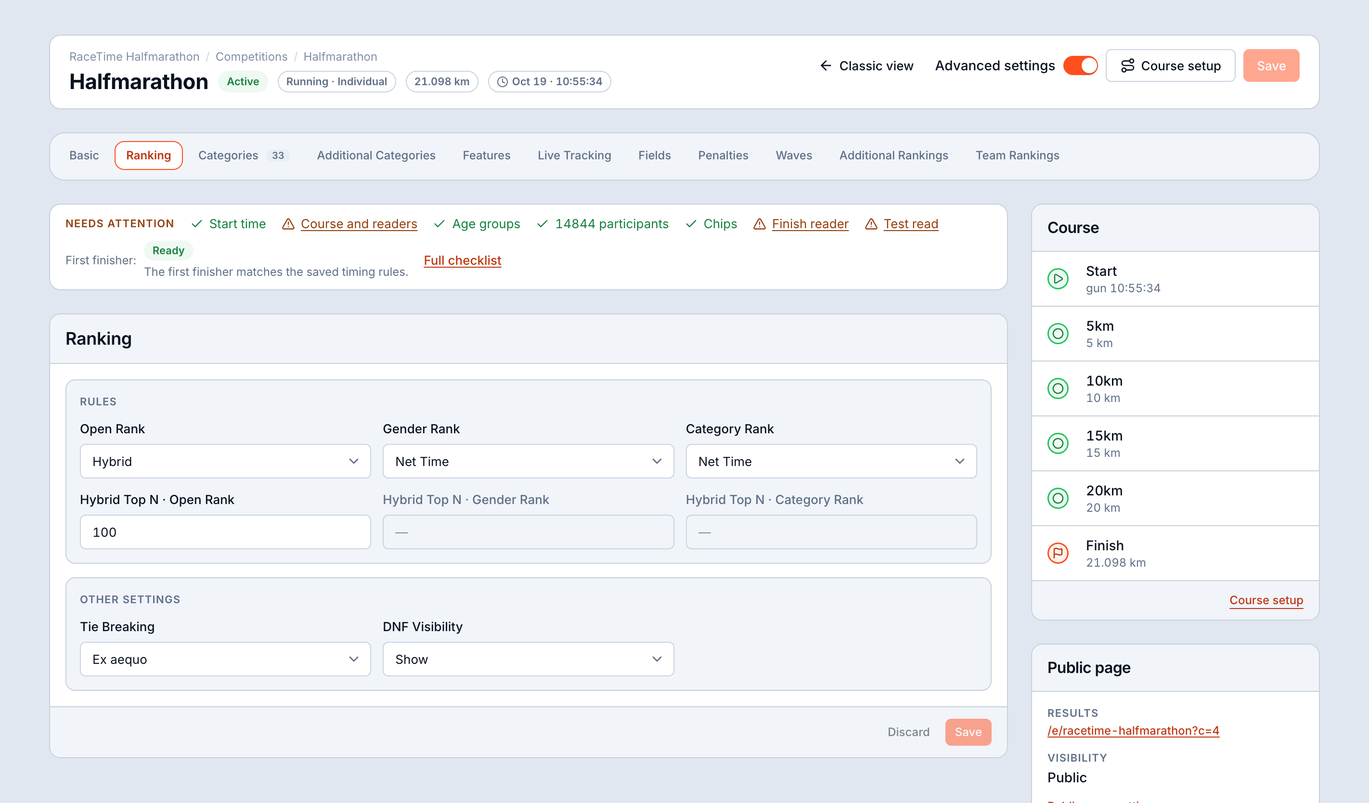
Competition setup - Ranking tab with open, hybrid, gender and category time bases, tie handling and DNF policy
Ranking. Choose open, hybrid, gender and category rankings, each on a gun, net or hybrid time base. Set how ties are broken and how DNFs are treated, so the standings match your race's rules exactly.
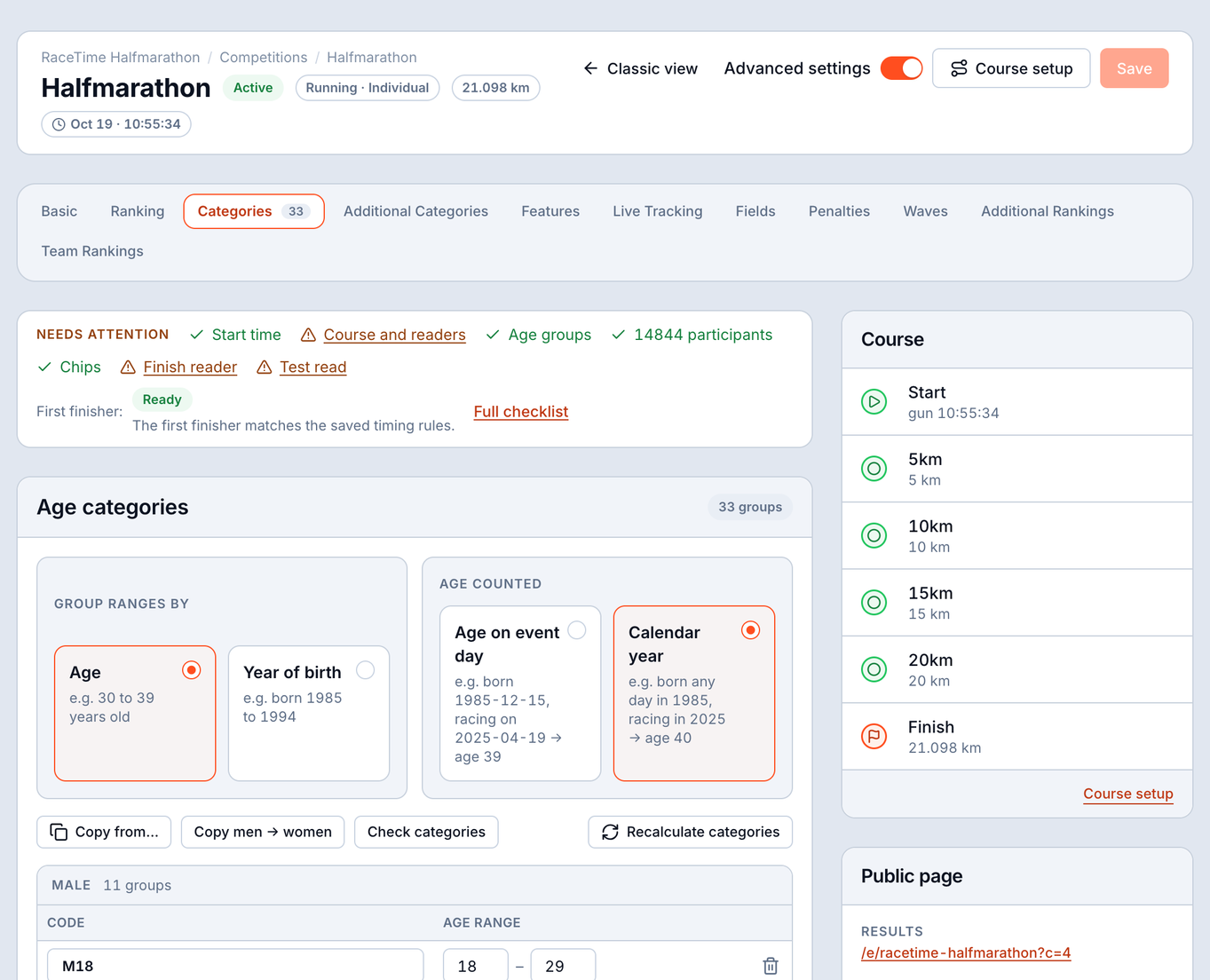
Competition setup - Categories tab with age categories by age or year of birth and unlimited brackets
Categories. Build age categories by age on race day or by year of birth, with as many brackets as your federation needs. Unlimited categories, defined once, applied across every result and report.
Competition setup - Features tab with photo and video sources and public display defaults
Features. Connect photo and video sources and set the public display defaults; map tracking and the record pacer have their own Live Tracking tab - what spectators and athletes see for this race, decided right here.
Team ranking

Score teams the way your race scores teams.

Some races live and die by the team result. Configure it the way your event runs it - best-N finishers, sum of times, or total rank - and the engine builds the team standings alongside the individual ones, no manual tallying.

racetime.net / event / config / teams
Competition setup - team ranking configuration with membership from a participant field, team size and a live preview of team scores
Tag & bib mapping

Match every chip to the right athlete.

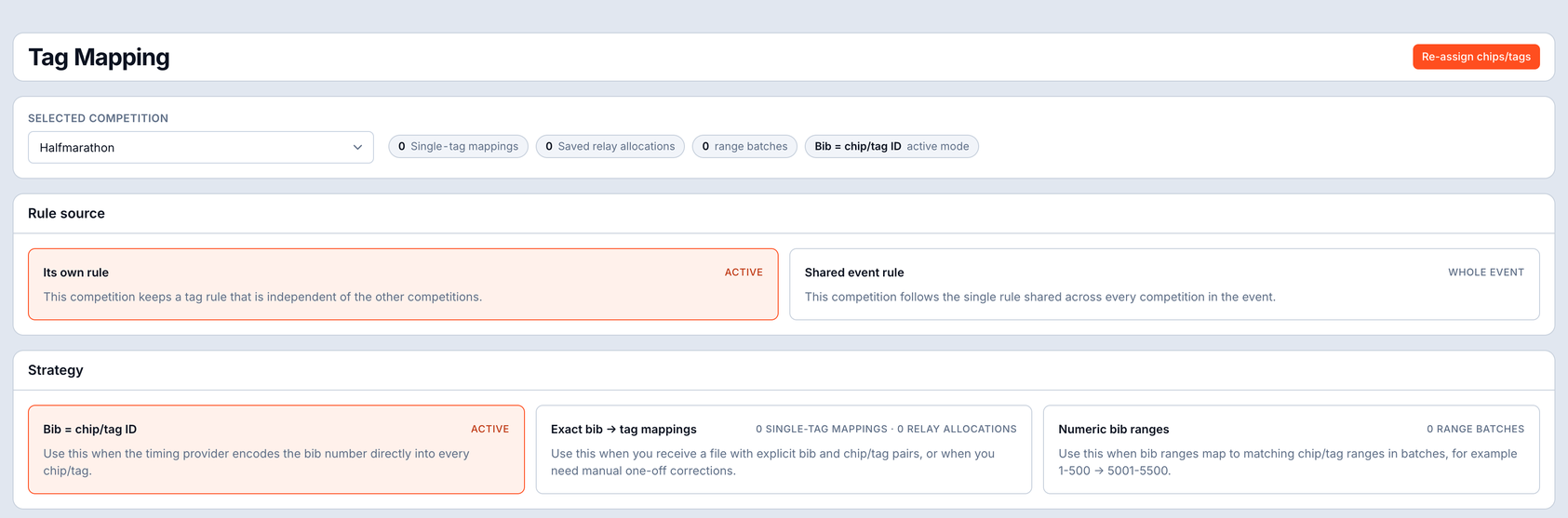
A read is just a chip code until you know whose bib it is. The mapping screen connects the two in whatever way your hardware hands them over - and it stays editable through the whole race, so a late swap or a re-chipped runner is a quick edit, not a crisis.

  • Three modes - identity (chip is the bib), exact (a chip maps to one bib), or range (a block of chips maps to a block of bibs).
  • Collision warnings - overlapping ranges are flagged the moment you create them, before they can mis-score a single read.
  • Bulk CSV import - bring thousands of mappings in at once from the file your chip supplier already gave you.
  • Editable mid-race - fix a mapping while the race runs and the affected results recalculate, no restart required.
racetime.net / event / config / tag-mapping
Tag and bib mapping - identity, exact and range modes with range-collision warnings, bulk CSV import, editable mid-race
The scoring workflow

Five screens that turn reads into results - and show their work.

This is where the data becomes a result. Each screen does one job well, and together they let you go from a wall of raw reads to a clean finish time you can stand behind - and explain, line by line, to anyone who asks.

Raw times

Every read, grouped where it belongs.

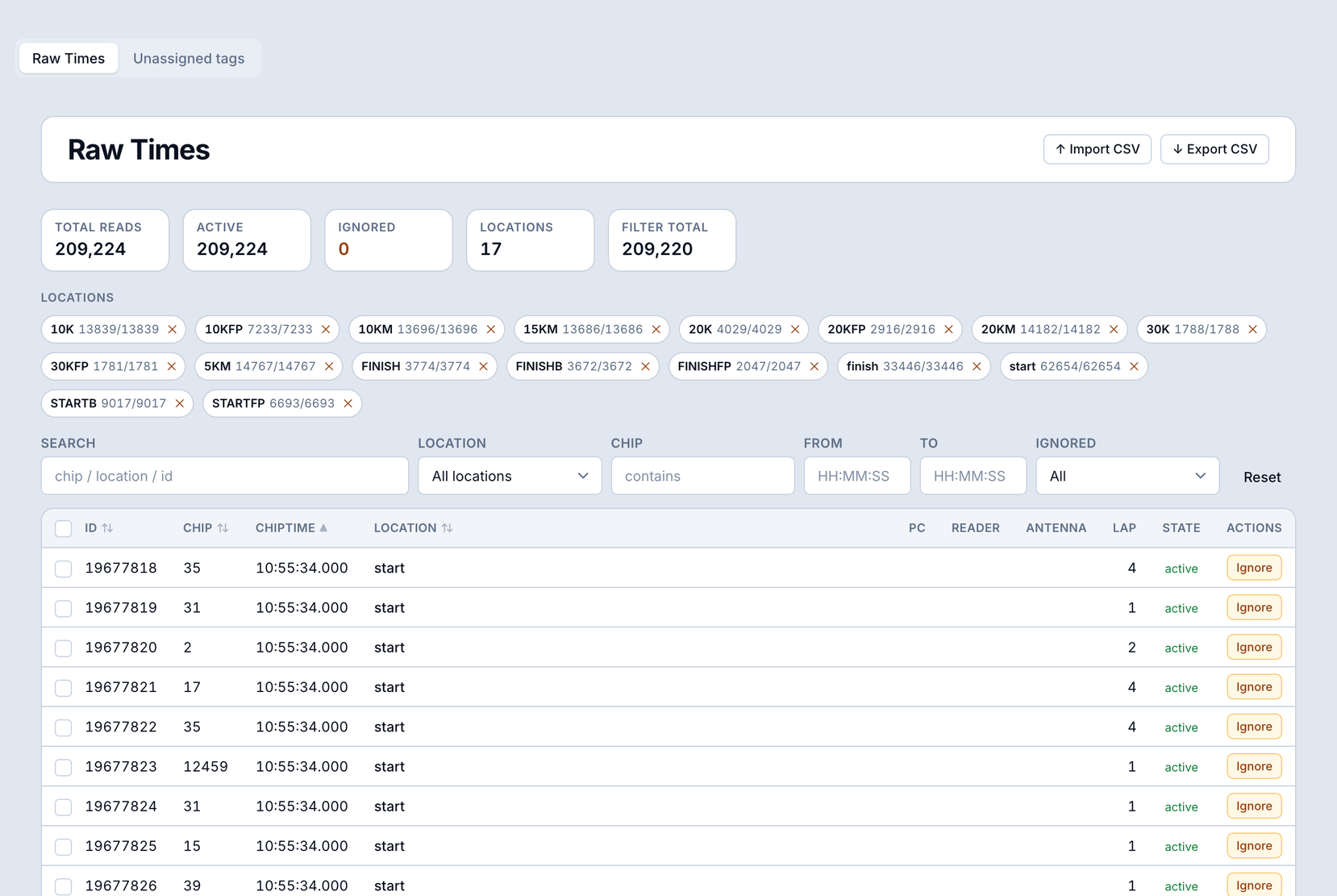
Open a participant and see every read they generated, grouped by checkpoint, with each one flagged as used or duplicate. Nothing is hidden and nothing is thrown away - you can always trace a time back to the exact reads behind it.

racetime.net / event / participant / times
Per-participant raw times - every read grouped by checkpoint with used and duplicate flags
The Times Table

The whole field, one row each, sorted by problem.

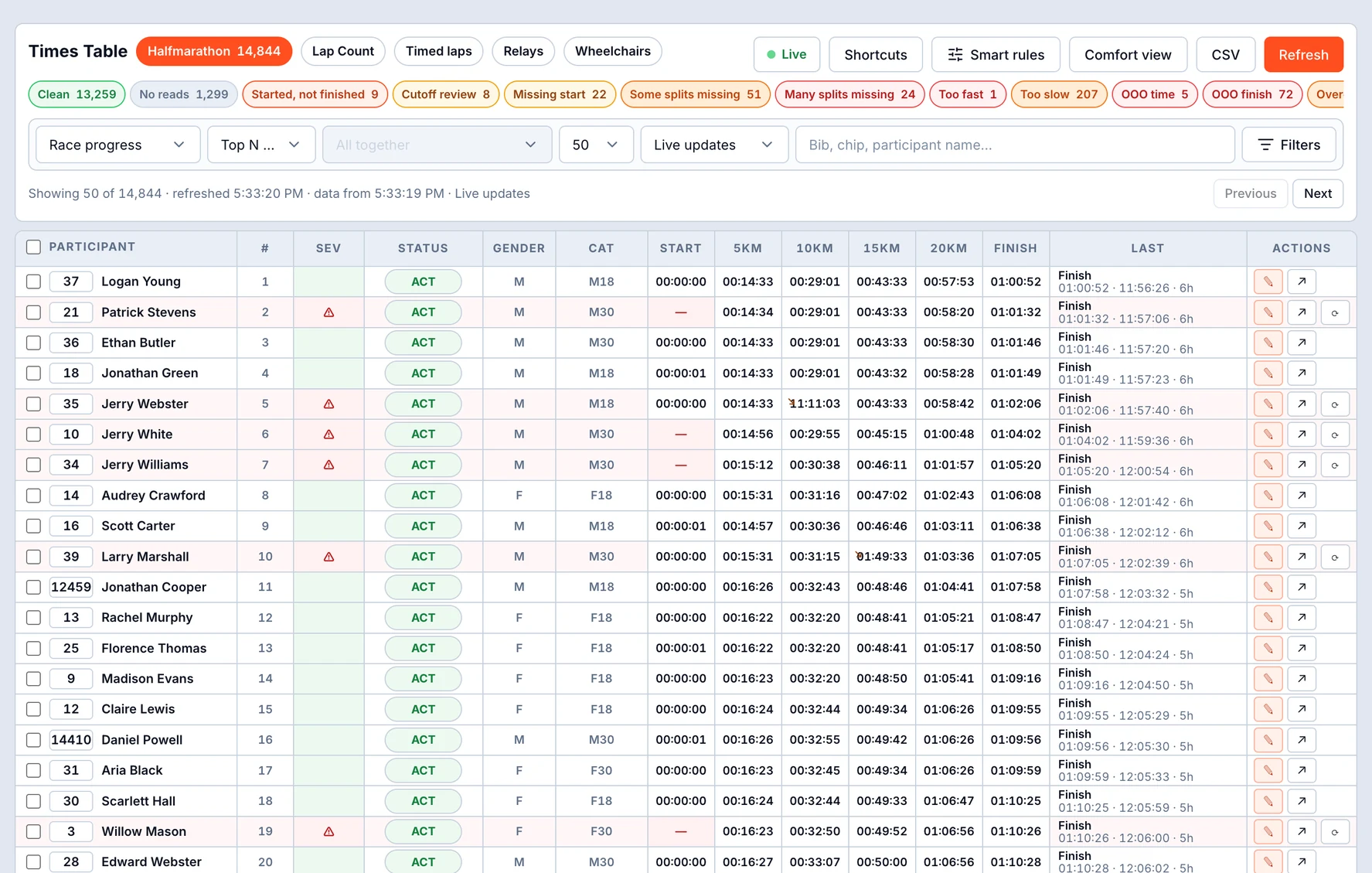
One row per participant, with smart-filter chips that bucket the entire field by issue type and show live counts as the race runs. A severity column tells you what to fix first, and you can edit times inline without leaving the table. It's the screen you'll keep open on race day.

racetime.net / event / times-table
The Times Table - one row per participant, smart-filter chips bucketing the field by issue type with live counts, severity column and inline edits
Participants

The roster, always current.

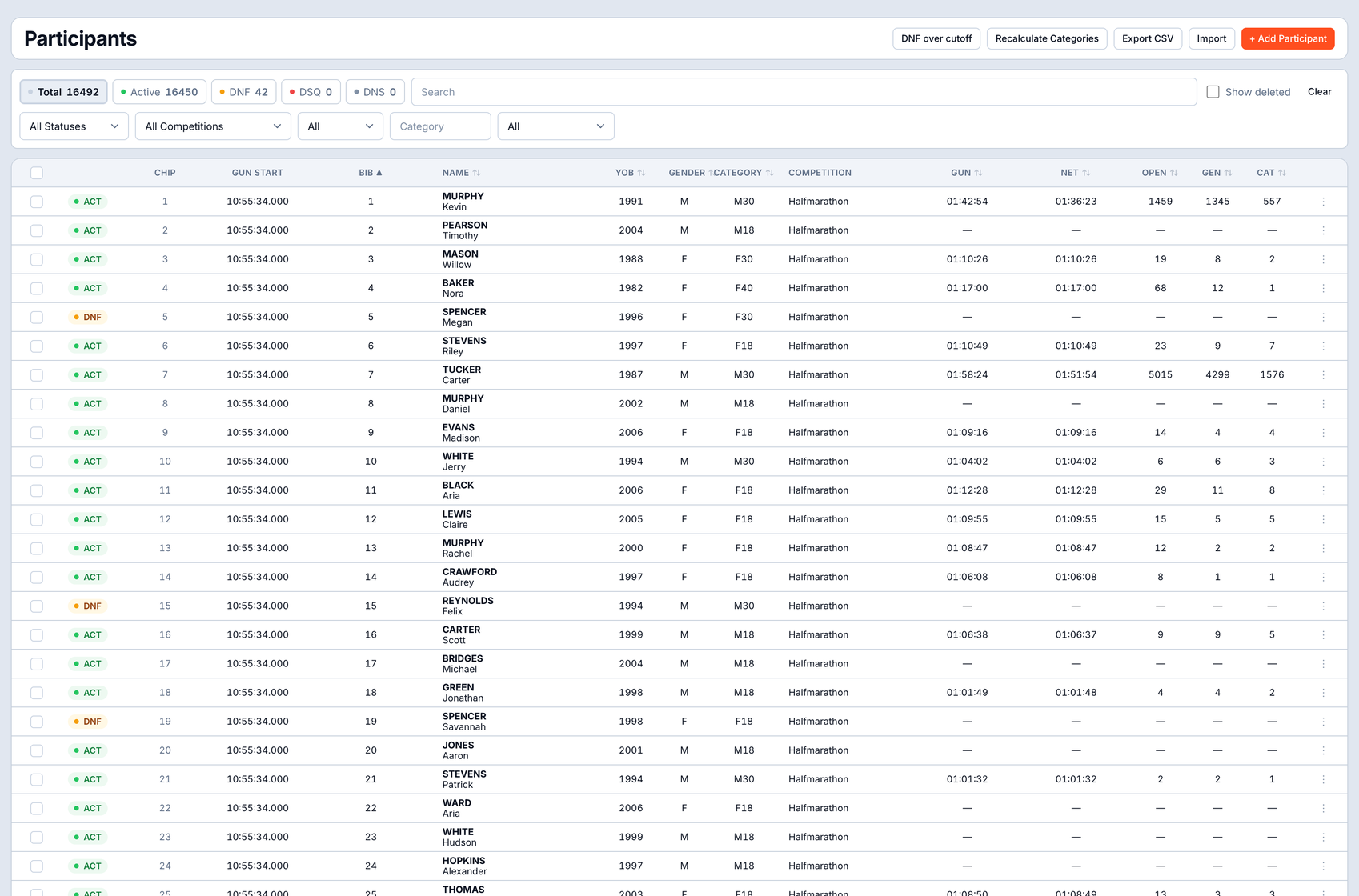
The full field at a glance, with Total, Active, DNF, DSQ and DNS counters across the top. Smart import gets everyone in fast, and you can add a late entry mid-race and it scores like any other runner from the moment they cross a mat.

racetime.net / event / participants
Participants roster - Total, Active, DNF, DSQ and DNS counters, smart import and mid-race additions
Inside one participant

Edit the athlete - and see exactly how their result was scored.

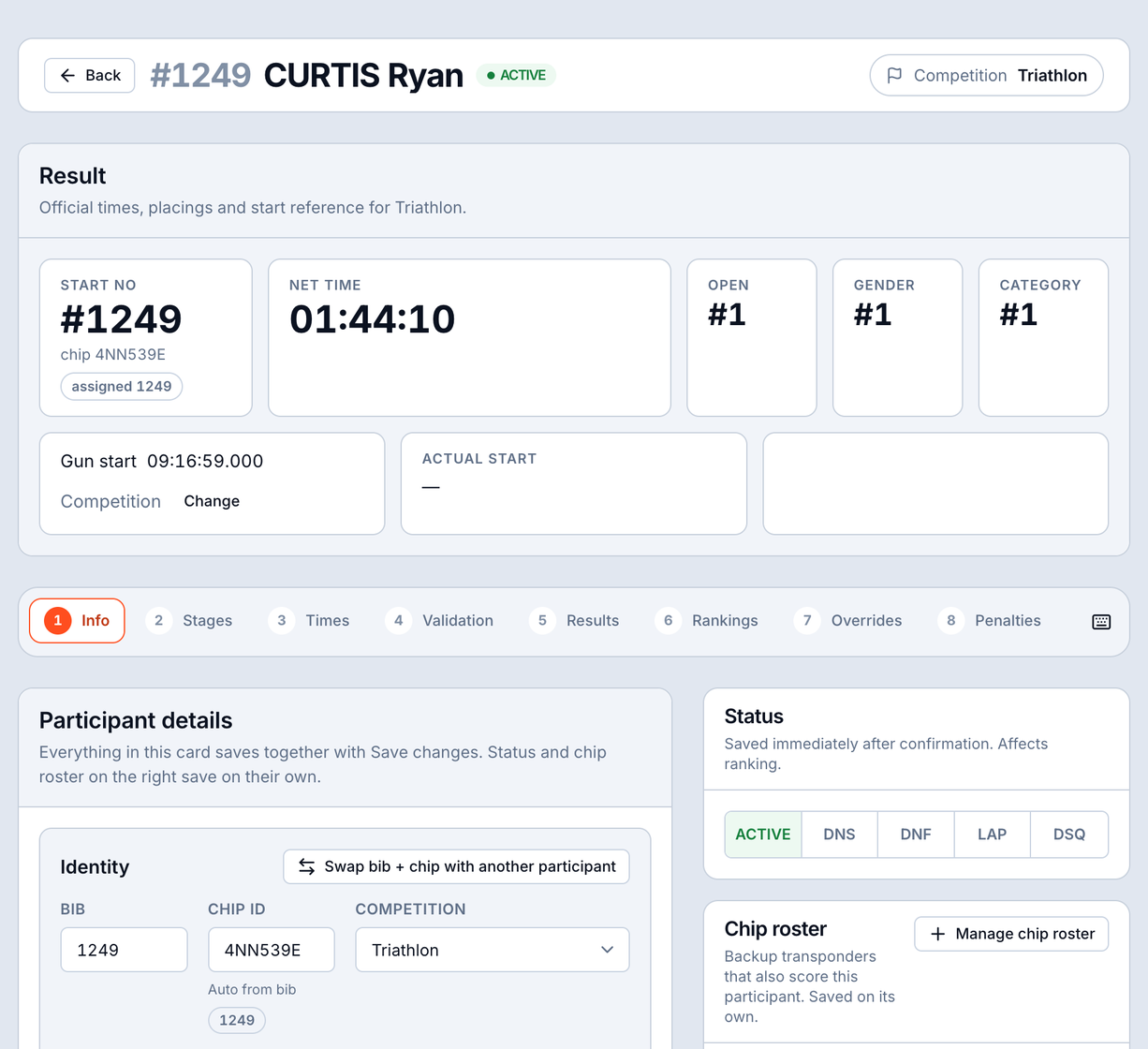
Drill into a single participant and you get two views that matter most: the data you can change, and the trace that proves the result is right.

racetime.net / participant / info
Participant Info tab - editable athlete data
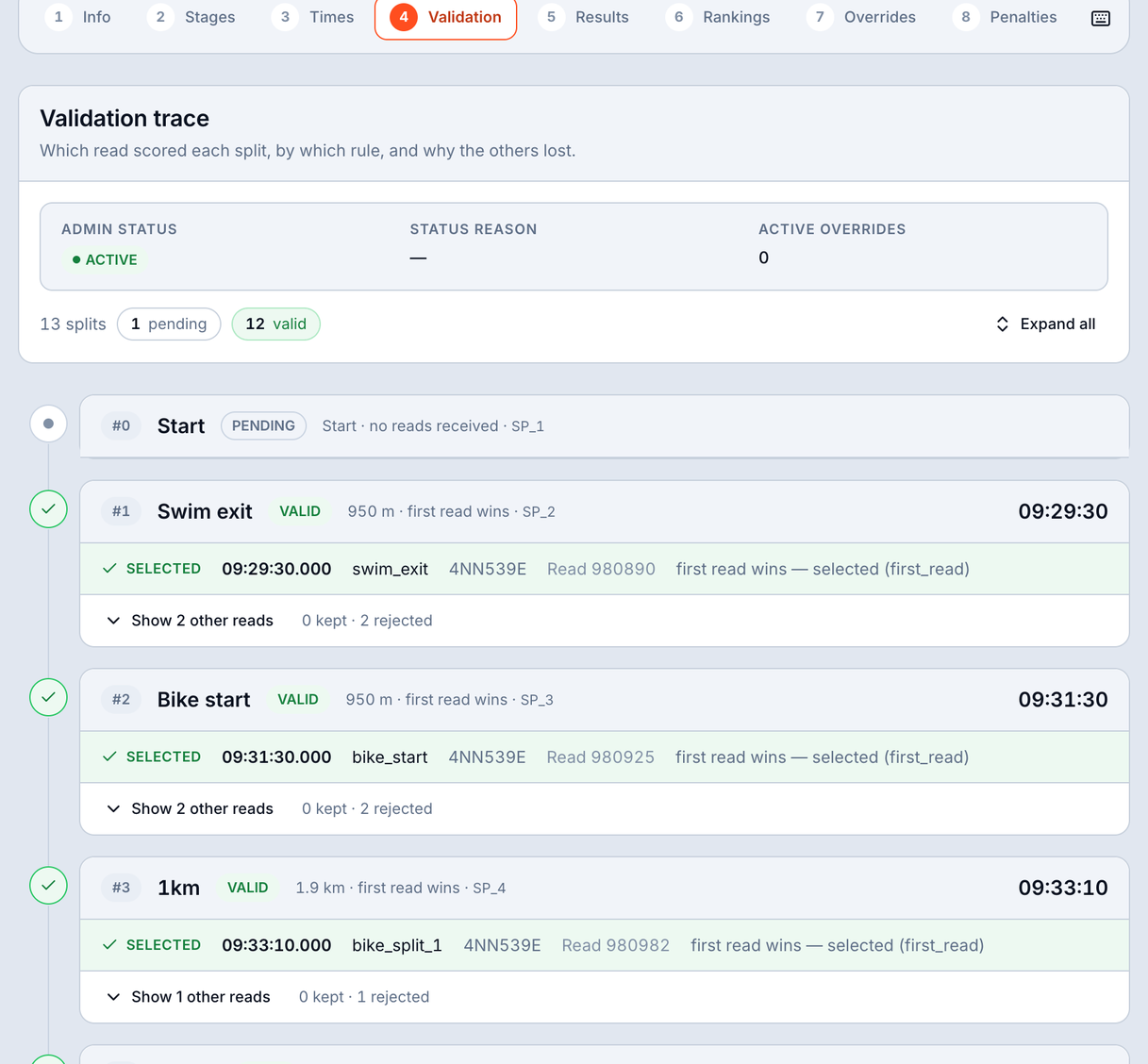
racetime.net / participant / validation
Participant Validation tab - explains how each split was scored, which reads were selected or rejected and why
Quick actions

The things you do most, always one click away.

A persistent top bar keeps the operations you trigger most often right where your hand already is. No digging through menus while the race is live - recalculate, jump to a screen, or fire a common action from anywhere in the event.

racetime.net / event / quick-actions
Persistent top-bar of quick actions for the most-used operations
Under the hood

Built to be trusted on the biggest day of someone's year.

The pipeline you've just seen runs on infrastructure that's been proven where it counts - under load, at scale, with real athletes' results on the line.

AWS-backed cloud

The whole engine runs cloud-native on AWS, so it scales with your field and stays up when the start gun fires - no on-site server to babysit.

Production-tested

This isn't a prototype. The scoring pipeline has already run live events - including single races of more than 20,000 participants and 40+ events in one weekend - start to finish.

Your data, kept apart

Every event's data is strongly isolated from every other. Your races, your athletes and your results stay yours - never mingled with anyone else's.

Also in RaceTime today

More tools for race day.

Want to score your next race with no black boxes?

It's included in your free trial - full access, with a direct line to the team building it.

Try it free →
Keep reading